Home Inventory Software
- Use HomeManage to maintain a home inventory of all your possessions.
- Terrific for Insurance Claims! Have a record of each item you own in case you need to make an insurance claim.
- Online barcode lookup. Use a barcode scanner to instantly retrieve product info + photos of your barcoded items.
- Be thorough in your estate planning. Record each item and its beneficiary, provide excellent backup to your will.
- Use HomeManage in your small business. keep track of computers, printers, tools and other assets.
 Windows 7, 10 or 11

 HomeManage
from Liberty Street Software regularly gets good reviews. It
costs $39.95, and a free 30-day trial version is available. The
trial version installed smoothly and was easy to understand and
use. The help files are good. The features are quite complete.
This software makes available dozens of data fields that can be
named by the user. To avoid clutter, only those fields actually
used need be displayed.
HomeManage
from Liberty Street Software regularly gets good reviews. It
costs $39.95, and a free 30-day trial version is available. The
trial version installed smoothly and was easy to understand and
use. The help files are good. The features are quite complete.
This software makes available dozens of data fields that can be
named by the user. To avoid clutter, only those fields actually
used need be displayed.  -
Maine
Antique Digest
-
Maine
Antique Digest
Thank you for
your prompt reply. Let me tell you again
I'M IMPRESSED! I've evaluated several
applications including Quicken's Home
Inventory. Your application runs
circles around that one and others.

UPC, EAN & ISBN Barcode Lookup
- It's easy to lookup & inventory any product with a barcode. HomeManage supports the industry standard UPC, EAN and ISBN formats.
- A growing online database of over 785,000,000+ products, including product images.
- Save yourself many hours of tedious data entry.
Create Your Own Reports & Labels
You can create & print out barcode labels to attach to your property. Scan the barcode later to bring up the record pertaining to that item.
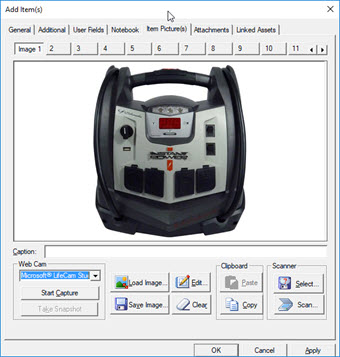
- Upload high-resolution photos so you can track item condition and appearance.
- Scan and attach receipts, warranties and other important documentation.
View your data in many different ways
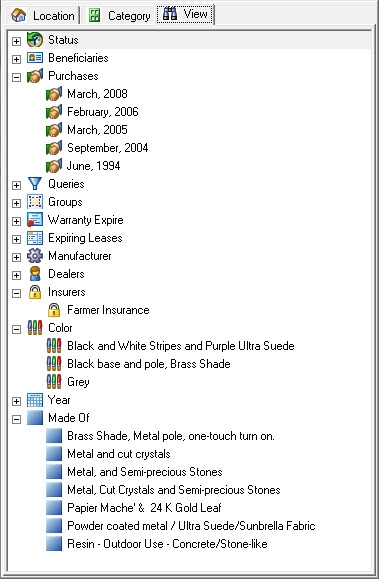
- View all items by Month & Year of purchase.
- See which assets have been assigned to a particular beneficiary.
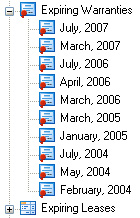
- View Warranties & Leases by Month & Year of expiration.
- Record complete contact information for Manufacturers, Dealers and the Insurance companies that are insuring your assets.
Keep track of maintenance, repairs & other expenses
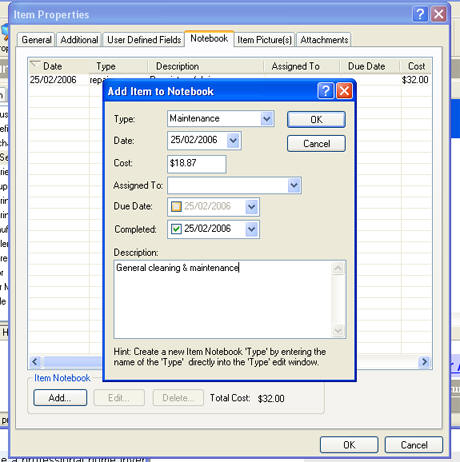
- Track expenses, repairs and other maintenance related to an asset.
Attach web links and files to your asset records
- A great way to attach invoices or other scanned documents to the an item.
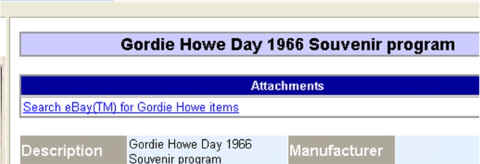
- Attach web links to an item's product page or the manufacturer's web-site.
"I usually don't
write companies but, I have to tell you what
a fine product you have here. I downloaded
and tried a half dozen other home inventory
software programs and they were hard to use
and none of them let you attach PDF's.
Your software is very intuitive and easy
to use. It does everything you could
possibly want in Home Inventory Software.
You guys put the smack-down on Quicken Home
Inventory.
Great Job! I hope y'all
are around for awhile" - Doug
Check status of Warranties & Service Agreements
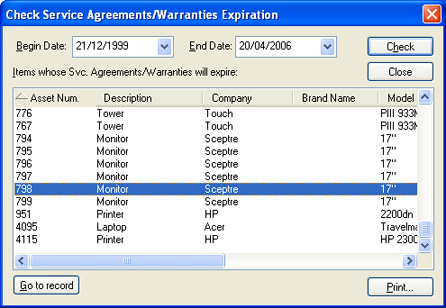
Keep track of Service Agreements & Warranties associated with your assets. Find out which Service Agreements, Leases and Warranties will expire in a certain time frame.
- Import delimited text files and Microsoft Excel spreadsheets
- Export data to HTML, Access database or an Excel spreadsheet.
- Use the Integrated Report Designer to create your own Reports, Labels and "File Cards".
- Print Barcodes on Reports or Labels.
 After
reviewing a number of home inventory software programs...the
winner is...HomeManage...this is my pick for your home inventory
software...I
was up and running quickly and easily.
-
Home Owner's Guide to Disaster Tax Relief
After
reviewing a number of home inventory software programs...the
winner is...HomeManage...this is my pick for your home inventory
software...I
was up and running quickly and easily.
-
Home Owner's Guide to Disaster Tax Relief
You will receive a Registration code & Download instructions via eMail