"...It took me a lot of searching to find a program that was good, and I have found your software to be
quite simply the best our there for Numismatic and stamp collectors !!.. great software and thanks for the help"
- G. Goldstein
Inventory & Value Your Coin Collection
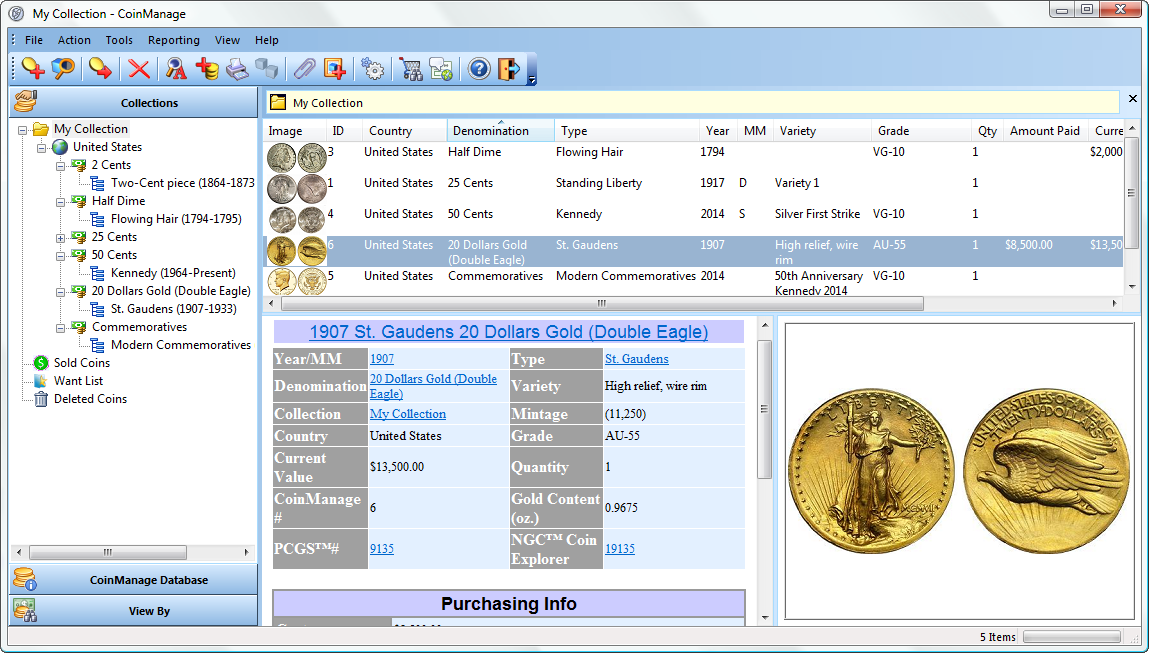
- Save countless hours of dull data entry by selecting from our comprehensive database of all USA coins, sets and mint products from 1793-2025.
- How Much is Your Coin Collection Worth? Find out now with our accurate & up-to-date values. Continually updated with the latest Issues.
- Deluxe Version Includes: USA, Canada & UK Coins, sets.
- Great for bullion coins such as American Eagles. Automatic value updates using the latest precious metal spot prices.
Platforms:
 Windows 10 and 11
  Click Here if you Have an Apple Mac
- Great for bullion coins such as American Eagles, download the latest Gold, Silver, Platinum and Palladium spot prices directly from the Internet. Automatically update your bullion coin values.
- CoinManage ships with numerous useful reports and includes a fully integrated report designer. Create reports, labels, charts and print or export to a variety of formats, including PDF, Excel, CSV and HTML.
- All USA Coins are cross-referenced to the industry standard PCGS numbering system. View PCGS CoinFacts or population reports for all your US coins.
- Direct links to PCGS individual variety pages for most US coins. Great for research and valuation
- Keep current with our automated program update feature. You will be able to instantly download and install the latest CoinManage program updates, values and reports.
- Enter your PCGS slabbed coins by simply scanning the barcode or entering the Certification Number. CoinManage will lookup and automatically enter the coin variety, grade, serial number for the coin! (Barcode scanner is not included with CoinManage)
- New! Backup and restore your data and images directly to our free Internet Cloud Storage. Note only is this the most effective way to protect your data, you can also use this feature to quickly transfer your data to another machine. For example a laptop you are taking for a vacation or trip.

Regardless whether you buy our CoinManage software on USB or as a
download, you will get life-long access to our downloads area. There,
you will always be able to download the purchased version of your
program.

- Canadian edition of our CoinManage software.
- Over 4560 Complete listings of all circulation, bullion and collector coins from Canada & Provinces.from 1858-Present.
- 3000+ images of virtually all Canadian coin varieties and sets.



- Complete database of over 6600 UK coins, including: Sets, collector coins and bullion coins from 1649
- Updated values in Pounds Sterling.
- Images for all major varieties

"I just finished looking
at about 50 different coin management programs. Your's was by far
the best; no second place"
Richard Alloy - Customer
Accurately Value your Coins
CoinManage includes a comprehensive and accurate values database.
-
Recently expanded to include many more grades.
-
Includes for Type-Specific valuations such as Full-Head Standing Liberty Quarters, Full Bell Line Franklin Half Dollars, etc.
-
Our popular EBay™ Completed Item Search lets you instantly view Selling Prices for the coins you specify.
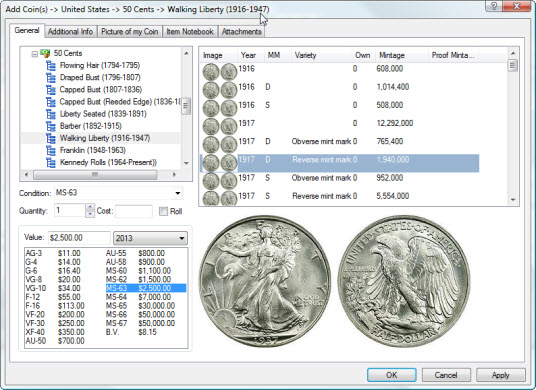
- Pictures of each type to help you identify the coins you own. Individual pictures for sets and major design changes within a type. Over 3000 images in all.
- Attach up to 4 of your images to each coin record. supports JPG, GIF, TIFF, BMP and PNG images.
- Each record contains over 30 information fields. Keep track of defects, Purchase and Selling info, etc.
- Types & Varieties Manager allows you to add data for Countries or Varieties not present in the program database.
- Store Internet and Contact Information for Customers, Dealers and Grading Services. Easy One-Click viewing of all coins bought or sold from a particular Dealer/Customer.
- Store an unlimited number of file or URL attachments with each record.
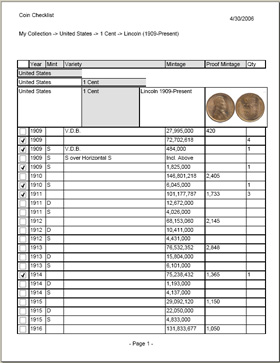
- Needed to Complete feature. Instantly see which coins you need to complete a particular type. Print the list if you like.
- Keep your data safe with our new fully-automated backup & restore feature. You can also password protect your data.
Find Coins on eBay™
Simply select the coin
varieties you are looking for..CoinManage will show eBay™ listings for the selected coins.
- Built-in intelligence will filter out unwanted varieties. For example, a search for a 1911 Lincoln Cent will NOT clutter your results with 1911-D or 1911-S Lincoln Cent auctions.
- Find bargains by be able to perform highly targeted auction searches faster than your bidding competitors.
- Quickly & Accurately research recent selling prices for the coins you are interested in

Store Images for each item
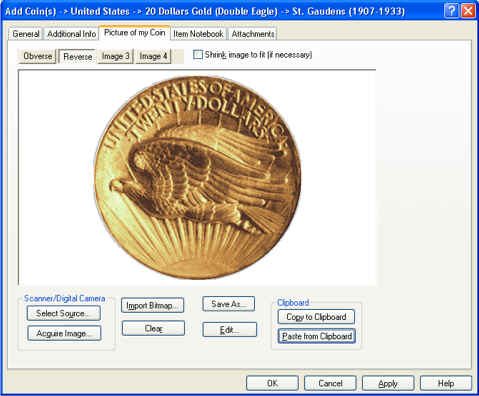
- Attach up to 4 of your images to each coin entered
- Scan images from within CoinManage using your scanner or digital camera.
- Load images from graphic files or paste them in directly from the clipboard.
- All major graphics formats are supported (JPG, GIF, TIFF, PNG, BMP, etc...)
Encyclopedia of Links to Coin Collecting Web-Sites
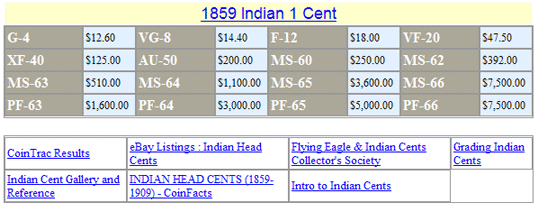
CoinManage contains an extensive library of over 4,000 Numismatic links, which may include:
- Type-specific grading guides.
- Additional pricing information.
- Auction results.
- Relevant Numismatic articles.
Informative, Great-Looking Reports
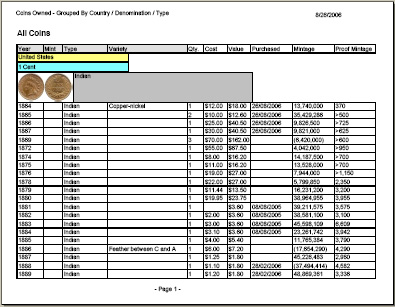
- CoinManage ships with numerous reports, including the Coin Checklist & Coins Owned reports shown below.
- Export reports to PDF, Excel, HTML and more formats
Create your own Reports & Labels
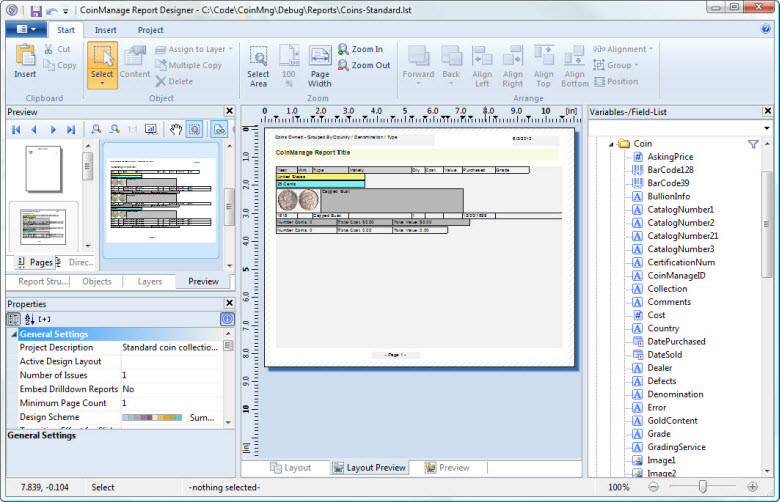
- You have complete control of how your reports look and what information is contained
- Create graphs, include images. Group your reports by vendor, type and more.
- Show financial summaries for coin types, collections, etc..
- Create and print labels of any size with any information, including images of the coin or barcodes.
View your Coin Collection in many different ways
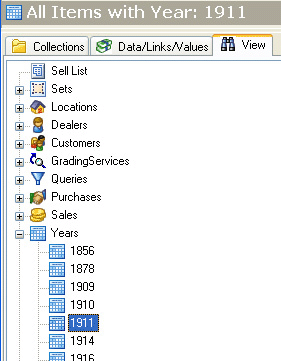
- View all your Coins from a particular year
- All coins bought from a particular Dealer.
- Create custom Queries which you can execute with a simple click.
- View Purchases & Sales grouped by Month/Year.
- View your coins grouped by Mint Mark, Grade and Grading Service used.
- Create and maintain a Sell List.
- Store contact information for your favorite Dealers & Customers.
Keep Track of Bullion Coins
- Automatically retrieve bullion spot prices from the Internet.
- Recalculate your Bullion coin values based on the latest spot prices.
- Great for finding the current values of American Eagles and other bullion coins you own.
- Listings for the most common bullion coins from around the world, including Krugerrands, Gold Maple Leafs, etc..

"I
love your program! ... I have found it to be very easy to use and
very powerful. I am rather new to coin collecting and have found the
information links extremely informative"
Al Wilson - Another Satisfied Customer
6